5 Repetitive Tasks Your Website Should Be Doing for You (But Isn't)
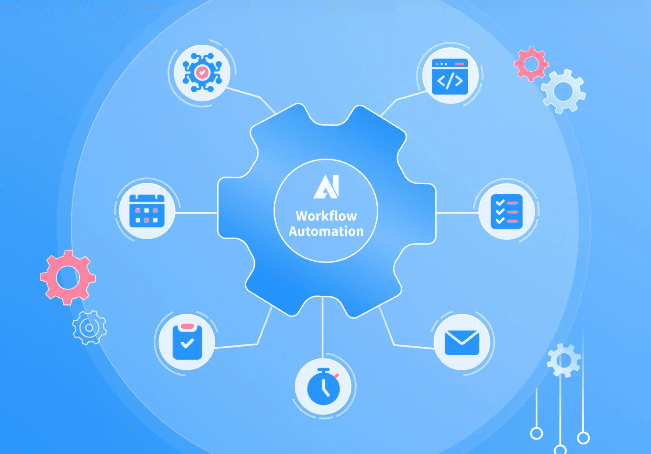
If your team is still sending appointment reminders, following up on quotes, and requesting reviews by hand, your website is underworking. Here are five tasks it should be handling automatically.
Table of contents:
Introduction
Most small business websites are doing about 20% of what they could be doing. They display information, maybe collect a contact form, and sit there. That's it. Everything else — the follow-up calls, the appointment reminders, the review requests, the re-engagement emails — gets handled by a person. Usually a stressed, overworked person who's also trying to do their actual job.
The irony is that the tasks eating the most staff time are also the most automatable. They're repetitive, predictable, and rule-based: if this happens, send that. If this date arrives, trigger this message. If this form is submitted, start this sequence. These are not complex human judgments. They're workflows. And workflows can be built once and run indefinitely without anyone touching them.
This post covers five specific tasks that your website — connected to the right tools — should be handling on autopilot. If you're still doing any of these by hand, you're spending real money on something that doesn't require a human.
Task #1: Responding to New Inquiries
When a prospect submits a contact form on your website, the clock starts immediately. Research consistently shows that leads contacted within five minutes convert at dramatically higher rates than leads contacted hours later. The reason is simple: they're still thinking about you. They just asked for help. Every minute that passes without a response is a minute they spend reconsidering their options.
Automating your first response is the single highest-leverage thing you can do with your website. A triggered text message — sent within 60 seconds of form submission, any time of day — acknowledges the inquiry, sets a follow-up timeline, and signals professionalism. You can personalize it with their name and the specific service they inquired about if your form collects that data. It takes ten minutes to set up once and then runs forever.
The email version of this response should do a bit more: introduce your business, link to your portfolio or testimonials, and explain what the next step looks like. Together, the text and email create a two-touch sequence that keeps the lead warm until your team can call. No one on your staff had to do anything. The website handled it.
Task #2: Sending Appointment Reminders
No-shows are one of the most silent revenue killers in service-based businesses. A landscaper in Fresno told me he was losing two or three appointments a week to no-shows — people who simply forgot, or didn't write it down, or scheduled with someone else in the meantime. He was spending Tuesday mornings driving to jobs that weren't there. The fix was embarrassingly simple: automated reminders.
A two-step reminder sequence — a text 24 hours before the appointment and another one hour before — eliminates the majority of no-shows. The messages can include the appointment time, the address, a link to reschedule if needed, and a direct reply number for questions. Once the scheduling tool is connected to the automation platform, this runs without anyone touching it. Every appointment, automatically, forever.
The landscaper I mentioned went from two to three no-shows a week to fewer than one per month. At an average job value of $350, that's roughly $400 to $600 in recovered revenue per month — from a tool that costs less than $50 a month to run. If your business takes appointments of any kind and you're not automating reminders, you're paying a no-show tax every single week.
Task #3: Requesting Reviews After Completed Jobs
Your happiest customers almost never leave reviews on their own. Not because they don't want to, but because they forget. Life moves on, the job is done, and leaving a Google review drops off the priority list within 24 hours of the service being completed. The businesses with 200+ Google reviews didn't get them because their customers are more enthusiastic. They got them because they ask — automatically, every time, at the right moment.
A review request automation is triggered when a job is marked complete, an appointment is closed out, or a certain number of days has passed since service. It sends a text with a direct link to your Google review page — not to Google Maps where they have to find you — to the actual review compose screen. The fewer steps between 'I want to leave a review' and 'I just left a review,' the higher the conversion rate. Direct links typically convert at two to three times the rate of generic 'find us on Google' requests.
In competitive local markets, review count and recency are major factors in Google's local ranking algorithm. A business with 150 reviews and an average of 4.7 stars ranks higher than a business with 20 reviews and a 4.9. Automating your review requests is not a vanity play — it's a local SEO strategy that compounds over time. Every review is a ranking signal. Every automated request is one you didn't have to remember to send.
Task #4: Re-Engaging Past Clients
Your past clients are your warmest audience. They've already paid you, already trusted you, and already seen your work. Re-engaging them costs a fraction of what acquiring a new customer costs — but most small businesses never do it systematically. The follow-up call that 'someone was going to make' gets bumped by more urgent priorities, day after day, until it never happens.
Automation solves this with a simple time-based trigger. If a client hasn't had any activity in 90, 120, or 180 days — depending on your service cycle — they enter a re-engagement sequence. A single well-written text or email that says 'Hey, it's been a few months — we'd love to help you with [specific service] again. Here's a link to book' is enough to bring a percentage of them back. You're not begging for business. You're making it easy for someone who already likes you to come back.
For seasonal businesses, this is particularly powerful. A pressure washing company can automate a spring outreach to every customer who hired them the previous year. A tax preparer can automate a reminder every January. A pest control company can trigger a quarterly follow-up automatically based on service dates. These aren't blasts to a cold list — they're timed, personalized touches to people who already said yes to you once. The conversion rate reflects that.
Task #5: Following Up on Unanswered Quotes
Quotes and proposals are where small businesses leave the most money on the table. A contractor sends out ten quotes a week. Three come back signed. Three say 'let me think about it.' Four never respond. Those seven non-conversions represent real revenue that's sitting in someone's inbox, waiting to be nudged. Most business owners follow up once — maybe — and then move on. Automated quote follow-up changes the math entirely.
A quote follow-up sequence can work like this: if a quote is sent and no response is received within 48 hours, an automated message goes out: 'Just wanted to make sure you got this — happy to answer any questions or adjust the scope if needed.' Three days later, if still no response: 'A few spots just opened up for [month] — let me know if you'd like to move forward.' This kind of persistence, done manually, feels pushy. Done automatically with the right tone, it feels like good customer service.
The psychology here is important. Most people who don't respond to a quote are not firmly saying no — they're busy, distracted, or waiting for the right moment. A well-timed follow-up message that makes it easy to re-engage converts a meaningful percentage of those 'maybe later' leads into closed jobs. If even one additional quote per week converts because of automated follow-up, the ROI on your automation stack paid for itself before the first month ended.
Conclusion
Every item on this list is a task that someone on your team is currently doing by hand — or not doing at all because there isn't enough time. Either way, you're paying for it. You're paying in staff hours, in missed leads, in lost jobs, in reviews you never got, and in past clients who went with someone else because they heard from them first.
Automation doesn't change what your business does. It changes how consistently the operational pieces get executed. The follow-up always happens. The reminder always goes out. The review request always lands. Consistency is the thing that separates businesses that scale from ones that plateau — and automation is what makes consistency possible without burning out your team.
If you're ready to stop doing these tasks by hand, the place to start is your website. Not a separate tool, not a new platform — your website, connected to the right systems from day one. That's what we build at the Ascend Pro level: not just a site that looks great, but one that actively works for your business after every visitor leaves and every form is submitted.

Let's talk about your project!